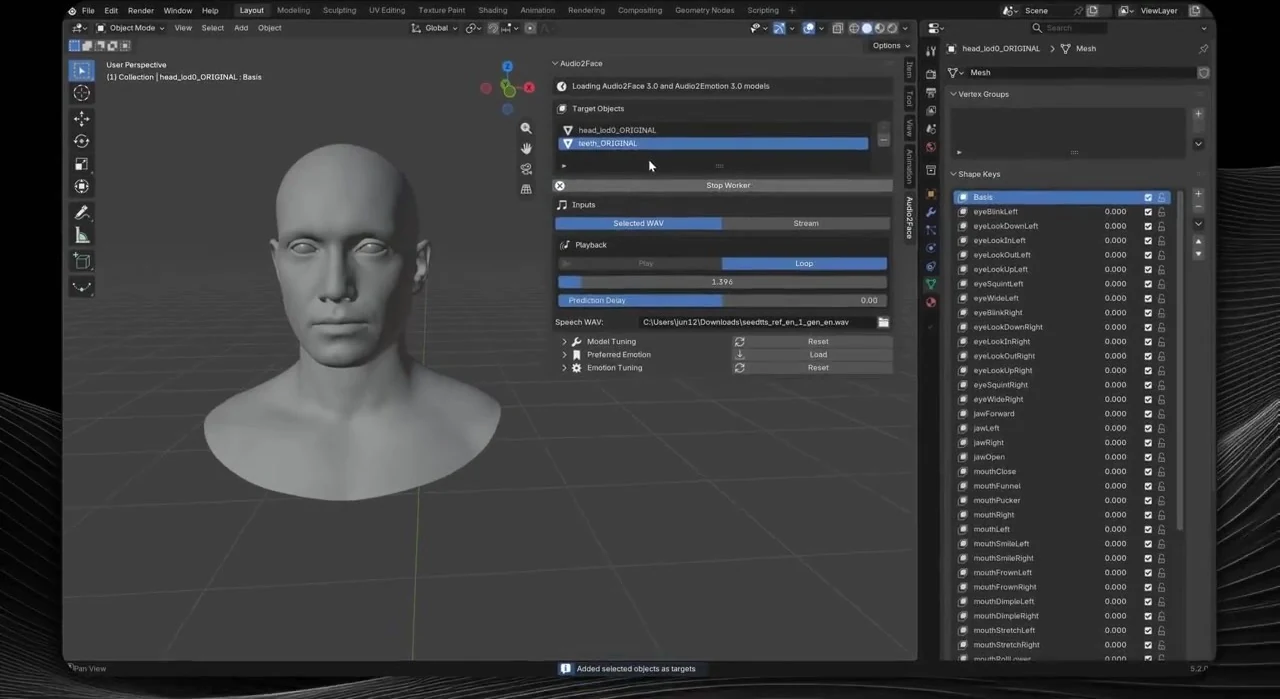
Audio2Face Blender addon WIP update:
— BruzWJ (@BruzWJ) August 26, 2026
added preferred emotion and auto emotion mixing with controls, will make a release soon 🫡
Next: Blender shape key animation baking from audio pic.twitter.com/NJ34RxfjOO
This feels wrong but should i continue building Miss Minutes? 😭
— BruzWJ (@BruzWJ) August 25, 2026
Audio2Face in @Blender works surprisingly well on cartoon characters🤔 pic.twitter.com/dgqUqlhvjm
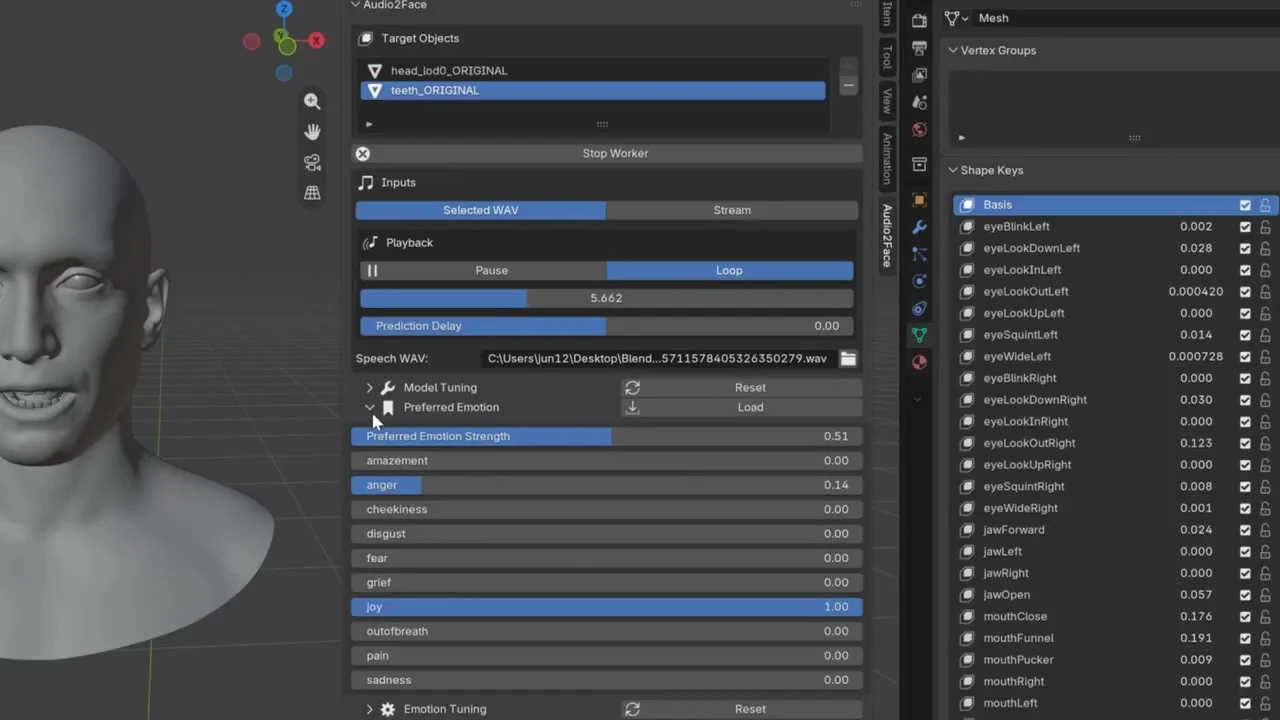
Preferred Emotion sliders, with Load mixing the authored values into the live face.
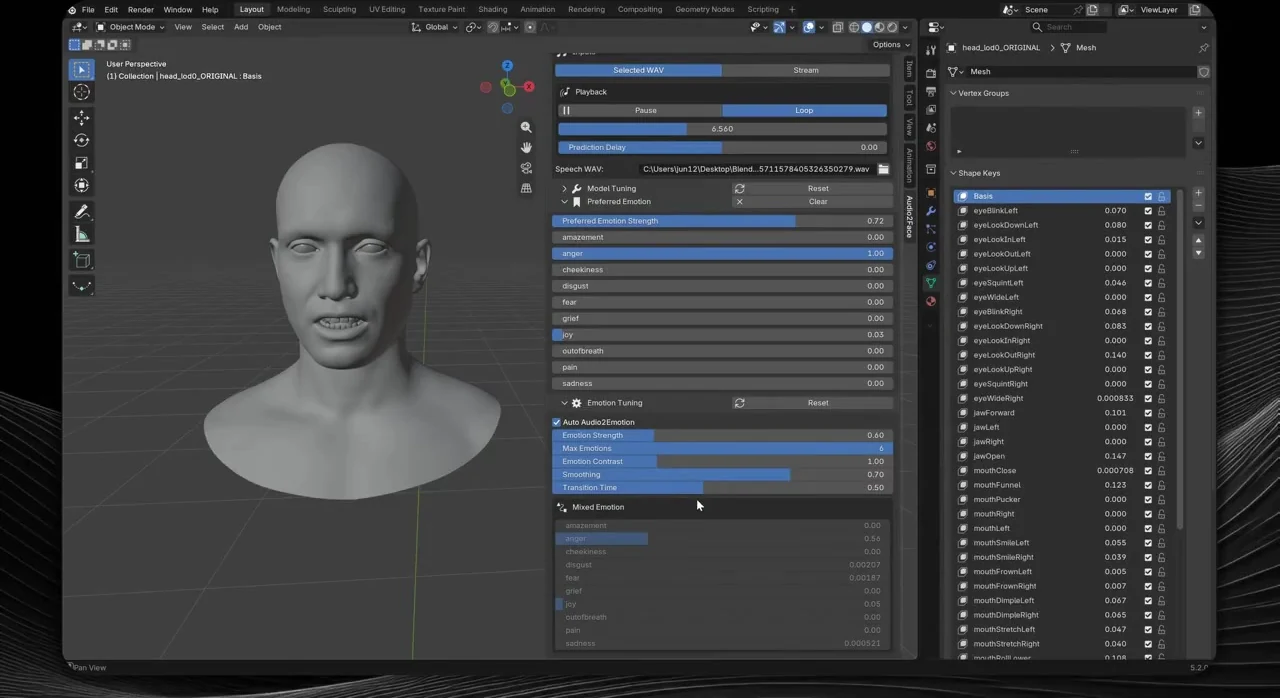
Auto Audio2Emotion tuning with read-only Mixed Emotion from the worker.
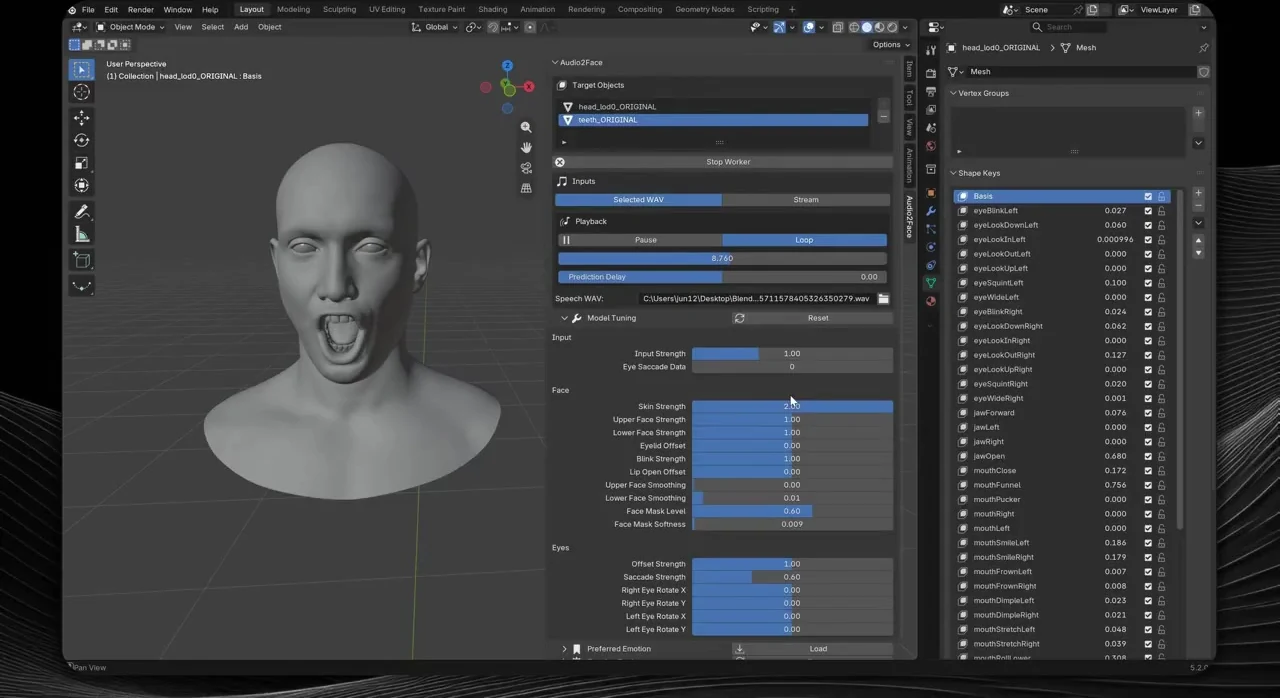
Model Tuning during Selected WAV playback, with live ARKit Shape Key values.
- 01
Install the platform ZIP
Drop the Windows or Linux extension into a local Blender User Default repository. The ZIP already contains the native worker.
- 02
Select and optimize models
Point Preferences at the Audio2Face-3D and Audio2Emotion repository roots, then build GPU engines with Optimize Models.
- 03
Target Shape Keys and start the worker
Add Mesh, Curve, Surface, or Lattice objects, then start the package-local worker so both models load once.
- 04
Play audio and mix emotion
Selected WAV playback or live PCM starts inference. Preferred and auto emotion mix while Shape Keys update on the audio clock.
- Blender 5.2
- Python
- C++
- CUDA
- TensorRT
- Audio2Face-3D v3.0
- Audio2Emotion v3.0